REVIEW · CHICAGO
Chicago Millennium Park Self-Guided Walking Tour
Book on Viator →Operated by History with Action · Bookable on Viator
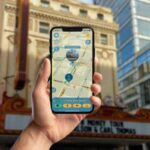
Chicago’s Millennium Park, explained as you stroll. What makes this tour fun is the hands-free audio that triggers as you move, letting you pause for photos, snacks, or just staring at Chicago. I also love the offline maps, so the park stays playable even if your phone can’t find a signal. The main catch is that switching away from the audio app (even briefly) can stop playback, so keep the tour running if you can.
This is a smart way to see the essentials without being herded. You start at the Millennium Park Welcome Center, load the audio once, then walk at your pace through the park’s headline sights: The Bean, Crown Fountain, and the bridge that links Millennium Park to the Art Institute’s Modern Wing. With the lifetime access option, you’re not just buying one visit. You’re buying a tool you can reuse on future trips.
Plan on about 20 to 30 minutes for the core loop, with the full experience stretching longer if you linger. If you like structure but hate rushing, this hits the sweet spot. If you need someone to physically meet you, ask questions, or manage crowds for you, this won’t do that—this one is all on you.
In This Review
- Key things to know before you go
- Entering Millennium Park on your own terms
- Price and value: $14.99 for lifetime access
- Getting started at the Millennium Park Welcome Center
- Practical tech tips (so the audio doesn’t act weird)
- Jay Pritzker Pavilion: where the park shows off its stage
- Lurie Garden: a calmer pocket at the south end
- Nichols Bridgeway: the simple idea that connects big places
- Crown Fountain: interactive video art you can actually play with
- Cloud Gate (The Bean): the photo magnet with real meaning
- How long it really takes (and how to plan your timing)
- Who this tour fits best
- Should you book it? My take
- FAQ
- Is this tour self-guided or do I meet someone?
- How long does the Millennium Park walking tour take?
- Do I need cellular service during the walk?
- Where do I start the tour?
- What do I need to use the tour?
- What are the main stops on the route?
- Can I get a refund if I change my plans?
Key things to know before you go
- Start at Millennium Park Welcome Center (201 E Randolph St): that’s where the audio tour gets going.
- Offline-ready: download so the tour keeps working without cellular or Wi‑Fi.
- Hands-free by location: the audio plays automatically based on where you are.
- Core sights in a short loop: around a 1-mile route covering the essentials.
- Lifetime access, no expiry: use it again on later Chicago trips.
- You control pacing: start anytime on your schedule, pause whenever you want.
Entering Millennium Park on your own terms

The best part of this tour is the independence. You don’t have to wait for a group. You don’t have to follow a script at someone else’s speed. Once you start the first audio point, the narration cues you to the next story and you can keep rolling—or take a break when your legs say it’s time.
That “start when you arrive” style matters in Millennium Park, because the crowd levels can swing fast. One minute you’re between people snapping photos. The next minute you’ve got space to look closely at details and read the park at street level. This tour makes it easy to bend with the moment rather than fight it.
It also helps that the tour is location-based. So instead of constantly checking a map, you mostly listen and walk. It’s the sort of guidance that keeps you from wandering in circles, but still feels like a self-guided stroll.
You can also read our reviews of more walking tours in Chicago



Price and value: $14.99 for lifetime access
At $14.99 per person, this isn’t paying for museum entry or special access. You’re paying for interpretive storytelling plus the app features: offline use, location-triggered audio, and an organized walking route.
The value step-up is the lifetime access. No expiry date. You can reuse the same tour on another trip without buying again. If you know you’ll be back in Chicago (or you want a low-cost way to “refresh” your memory later), lifetime access is exactly the right pricing model for a city trip.
Also keep in mind the tour doesn’t include attraction tickets or reservations. So it’s best viewed as a way to make your walk through the public park more meaningful—not as a shortcut to paid experiences.
Getting started at the Millennium Park Welcome Center
Meet-up is handled in the simplest way possible: you go to Millennium Park Welcome Center, 201 E Randolph St, and then you begin. No one meets you at the start. That’s great if you like independence, and it’s also a good idea because you can start close to the time you want.
Here’s the workflow that makes it painless:
- After booking, you get instructions plus a password by email and text.
- Download the tour in strong Wi‑Fi/cellular so it works later offline.
- On site, open Action’s Tour Guide app and enter the password.
- Start the correct version for your starting point and direction.
If you’re the type who hates downloading stuff while standing in the sun, plan to do the download before you arrive when you can.
Practical tech tips (so the audio doesn’t act weird)
This tour is designed to work offline, and that’s a big deal in a place like downtown Chicago where signals can be spotty. Still, the download step is the one moment you must get right.
Bring headphones/earbuds. The tour’s audio is hands-free while you walk, but it’s meant to be heard clearly. If you don’t want to carry headphones, you’ll lose most of the value.
Also know this: when you take photos or switch apps, playback can pause. One piece of real-world advice from the experience is to avoid toggling out of the audio app if you can. If you do get interrupted, look for a resume option so you don’t lose your place.
Finally, for best navigation, the recommendation is:
- iPhone on iOS 15 or later
- Android version 9 or later
- iPad/tablet with GPS and cellular connectivity
That doesn’t mean other devices won’t work. It just means the tour is built with these in mind for the smoother experience.
Jay Pritzker Pavilion: where the park shows off its stage

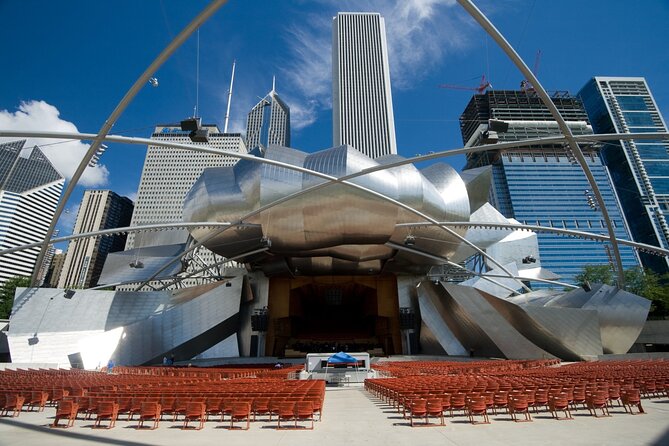
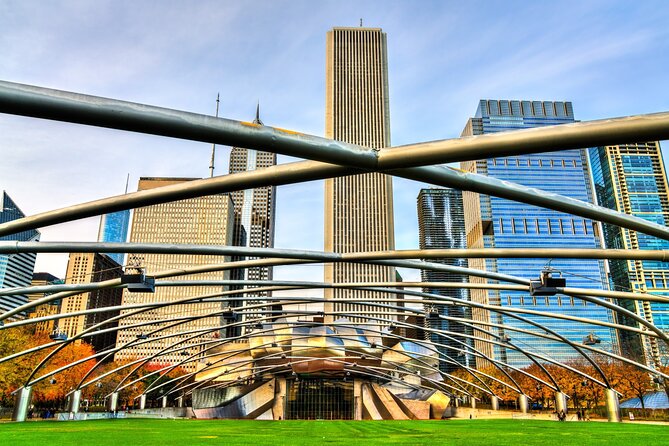
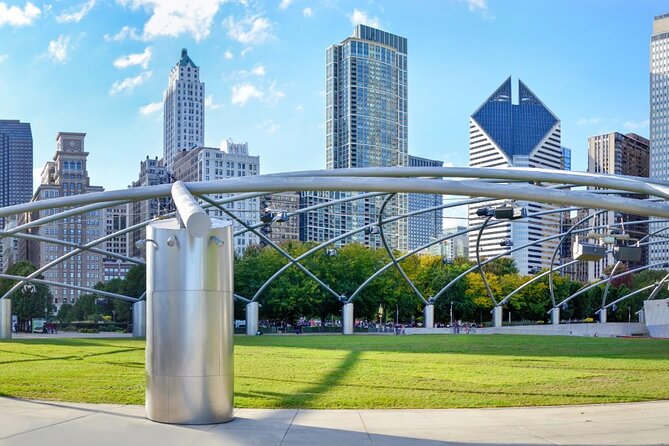
Your walk begins with Jay Pritzker Pavilion (often called the Pritzker Pavilion). It’s the park’s bandshell-style centerpiece and a key stop because it sets the tone: this place isn’t just sculptures and photo ops. It’s also an outdoor performance space.
As you stand here, it’s an easy moment to understand how Millennium Park blends art, architecture, and public space. Even if you’re not catching a show, the pavilion area helps you “read” the park’s design choices—how crowds gather, where sightlines go, and how the space is meant to feel open rather than fenced off.
If you’re in a hurry, this stop can be quick. But if you like to pause and take it in, it’s worth spending a couple extra minutes here before you move on.
You can also read our reviews of more guided tours in Chicago




Lurie Garden: a calmer pocket at the south end
Next up is Lurie Garden, a 2.5-acre garden at the southern end of Millennium Park. It opened in 2004 and was designed by GGN, Piet Oudolf, and Robert Israel. The plant palette is a mix: perennials, bulbs, grasses, shrubs, and trees.
What I like about including a garden stop in a “Millennium Park highlights” walk is the reset it gives you. You’ve been orbiting big, high-visibility landmarks. Lurie Garden slows you down. You start looking at textures and shapes instead of chasing the loudest photo angles.
It’s also a good contrast stop for timing. If the main plazas are crowded, garden paths can feel more breathable even during peak times. Take a moment. Let your eyes adjust. Then continue toward the water-and-metal wow moments.
Nichols Bridgeway: the simple idea that connects big places
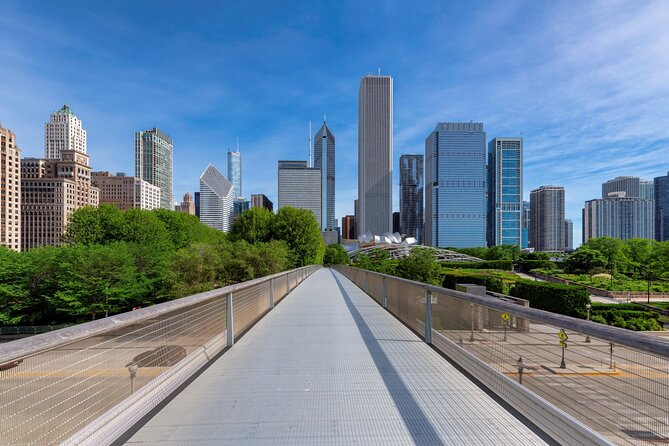
Nichols Bridgeway is the pedestrian bridge that crosses Monroe Street. It connects to the third floor of the West Pavilion of the Art Institute of Chicago’s Modern Wing, starting at the Great Lawn in Millennium Park.
The reason this stop matters is that it explains the park as more than a contained attraction. Millennium Park is built to connect. This bridge is a literal and visual link between institutions and neighborhoods.
If you like architecture and city planning even a little, you’ll get a lot out of walking this section with the audio on. You’ll also have chances to spot how movement flows—where people naturally pause, where the bridge frames views, and how the city layers in behind you.
Crown Fountain: interactive video art you can actually play with
At Crown Fountain, you’re in the territory of interactive public art. It’s an interactive video sculpture designed by artist Jaume Plensa, and the project was executed by Krueck and Sexton Architects. It opened in July 2004.
This is one of those stops where you can’t just look and move on. The whole point is that you’re invited to participate. If the ground and water features are active during your visit, you’ll likely find yourself lingering.
Practical note: since it’s interactive, plan for a quick pause even if you’re running the tour on a tight schedule. You’ll want time to watch, test, and then dry off—or at least keep your plans flexible.
Cloud Gate (The Bean): the photo magnet with real meaning
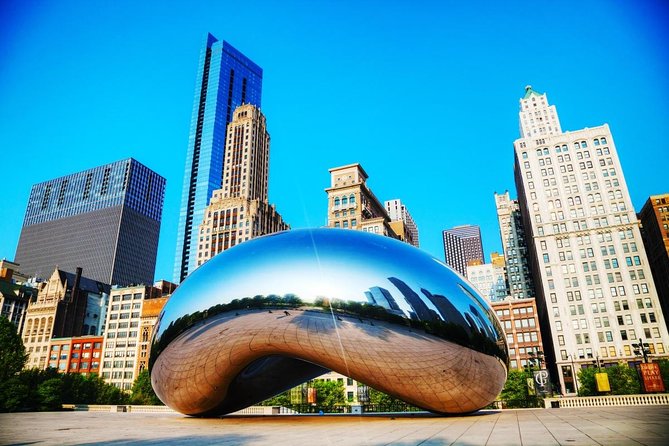
No Millennium Park walk is complete without Cloud Gate, the public sculpture by Sir Anish Kapoor. This is the centerpiece of AT&T Plaza on top of Park Grill, between the Chase Promenade and the McCormick Tribune Plaza and Ice Rink.
The Bean is famous for a reason: its reflective surface makes the space around you feel distorted in a fun way. With the audio tour running, the storytelling focus includes The Bean itself and also ties in views like the Chicago Skyline. That makes a difference. You don’t just take a photo—you understand why the reflections and sightlines are designed to mess with your perspective.
If you want the best experience, treat this stop as your “slow down” moment. Step around. Check the reflections. Let the skyline come into view at different angles. Then decide if you want to keep listening or just enjoy the scene without audio.
How long it really takes (and how to plan your timing)
The tour is described as a short, efficient loop. The essentials cover about 1 mile, often falling in the 20 to 30 minute range. But your total time can stretch toward the “about 1 to 2 hours” window if you add breaks, linger at sculptures, or follow extra story cues.
Here’s the practical approach I recommend:
- If you’re short on time, treat it like a focused highlight walk.
- If you’re traveling with a slower pace, count on extra minutes at Crown Fountain and Cloud Gate.
- If you want more context, start the tour and don’t rush to “finish.” Pause where you’re drawn in.
Millennium Park is one of those places where a “quick stop” can turn into a long one. This tour respects that.
Who this tour fits best
This self-guided format works best if you:
- Want to explore at your own pace
- Prefer audio storytelling over reading every sign
- Like a clear route with flexible timing
- Are comfortable using a phone for navigation and audio
It’s also a decent fit for couples and small groups because you can share the experience in a practical way. One hint that’s specifically useful: couples can share one tour by splitting headphones. That can cut cost without cutting the fun.
If you need an in-person guide to manage the group or answer questions on the fly, you might prefer a guided walking tour instead. This one is designed for independent exploring.
Should you book it? My take
I’d book this if you’re going to Millennium Park anyway and you want more than “I saw the sights.” The offline audio and lifetime access turn a short walk into a repeatable experience, which feels like good value for $14.99.
I’d skip it if you hate phone-based tours, plan to constantly switch away from the audio app, or you’re only interested in the quickest possible photo stop. This tour is at its best when you actually listen as you walk.
If you’re somewhere in the middle—curious, but realistic—this is an easy win. Start at the Welcome Center, download ahead, bring headphones, and give Cloud Gate the time it deserves.
FAQ
Is this tour self-guided or do I meet someone?
This is self-guided. You start at the Millennium Park Welcome Center and the audio begins automatically at the first story point. The activity ends back at the meeting point.
How long does the Millennium Park walking tour take?
The essentials route is about 1 mile and often fits in 20 to 30 minutes. The overall experience is listed as approximately 1 to 2 hours, depending on how long you pause and explore.
Do I need cellular service during the walk?
No. Offline maps are included, and the tour is designed to work without cellular or Wi‑Fi after you download it.
Where do I start the tour?
Start at Millennium Park Welcome Center, 201 E Randolph St, Chicago, IL 60601, USA.
What do I need to use the tour?
You’ll use your phone with the Action’s Tour Guide App. After booking, you’ll receive a password by email/text, and you’ll need to download the tour content while you have strong Wi‑Fi/cellular.
What are the main stops on the route?
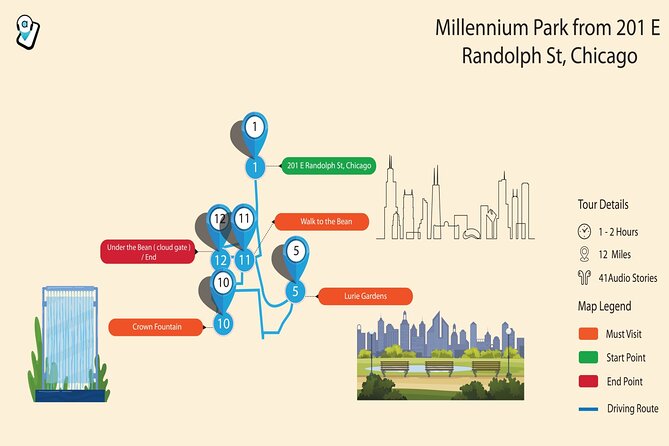
The route includes Jay Pritzker Pavilion, Lurie Garden, Nichols Bridgeway, Crown Fountain, and Cloud Gate (The Bean).
Can I get a refund if I change my plans?
Yes. Free cancellation is available up to 24 hours before the experience start time for a full refund. Cancel less than 24 hours before and the amount paid is not refundable.
If you want, tell me when you’re visiting (weekday vs weekend and time of day) and whether you’re doing other Chicago stops that day. I can suggest the best order to walk Millennium Park so your photos and “sit-and-listen” moments line up.